


Your bridal registry - the wish list for your wedding

You are starting your married life in a new apartment where many things are still missing. You are in the mood for enjoying time alone with the two of you, for example at a candlelight dinner in a gourmet restaurant. But you may also be more inclined towards joint activities such as survival training. You think the traditional bridal registry is a great invention and don't want to miss it even in the digitalized world? Then let your friends and relatives know via a virtual wedding list how they can make the start of your married life even sweeter!

Your advantages with the Wishbob wish list

Save time organizing your wedding: Planning a wedding can be time consuming. With an online wedding registry, you'll save time by creating and updating your Wishbob registry together from the comfort of your own home.

Another great way to use an online wedding wish list is to tailor your registry to a new household you are starting. If you are planning to move in together after the wedding, or if you are making a new home in an existing home, you can fill your Wishbob wish list with home decorating ideas.

Wide variety of gift ideas and stores: Unlike the traditional wedding registry, which is often limited to one or two stores, an online wedding registry lets you choose from an endless variety of online stores. From name-brand appliances to exotic vacations, you can add anything you want to your wedding registry.

The advantages for the recipients of your wish list

Perfect gift selection: Your friends and family can access the Wishbob wish list anytime, anywhere, and take their time deciding what they'd like to get you. They don't have to grope in the dark for the right patio furniture or make an unsure choice for the cutlery set. Instead, they can give you something that matches your taste and needs.

Easy and convenient ordering: From your wish list, your guests will be taken directly to the store where they can order their gift online. They don't have to run from store to store or wait in line at the checkout. With just a few clicks, they can make you happy and have the gift shipped directly to their home.

Tips for creating and sharing your wedding wish list

It is important to think carefully about what tangible and intangible things you truly want. By starting to create a Wishbob wish list early, you will have plenty of time to research different options. This way, you can be sure that the gifts on your list are well thought out.

When should you share your wish list with your wedding guests? It's best to send the link to your wish list along with your wedding invitations. That way, your friends and family have plenty of time to think about whether they'd rather get you a city trip to Madrid or two pairs of running shoes.

It's important to keep the communication around the wedding registry engaging and low-key. Emphasize that guests are not obligated to buy anything from the wish list, but that it is there to help and guide them. It is important to you that your friends and family feel comfortable and excited about your wedding.

And how do your friends and family receive your Online Wedding List? There are several ways: The Wedding List link can be shared via email, messenger (WhatsApp, Telegram), SMS and social media (Facebook, Google+). You can also simply include the link to your Wishbob wish list in your wedding invitation.

After the big day

At a wedding, the bride and groom often receive generous, surprising, and useful gifts from their guests. To ensure that you can thank the gift givers appropriately, it is important to keep track of who gave what. There are several ways to do this.

Photographic documentation: Take pictures of the gifts and the gift givers during or immediately after the gift-giving ceremony. You can write the names of the gift givers on the photos to help identify them later. This is not only a nice memento, but also allows you to address the gift givers individually after the wedding.

Written documentation: Ask someone you trust, such as a best man or a close friend, to take notes on the gifts and gift givers as you give them out. These notes can be useful for keeping track of the gifts and properly acknowledging them after the wedding.

Whichever method you choose: Common courtesy requires that you thank the gift givers. Send personalized thank-you cards or letters that mention the gift you received and what the generous or thoughtful gift means to you. This is a great way to show your appreciation, strengthen your relationship, and share the joy of the gifts you receive.

The personalized wish list is the best wish list!

Personalizing your wedding wish list is key to making it special for your loved ones. A personalized wish list is the best wish list! Here are some ideas on how to make your Wishbob wedding registry appealing:

  • Photo: Include a photo of you as a couple to the wish list that represents your experiences together. This could be a picture of your first date at a candlelight dinner. It can also show you on a weekend trip to Paris together or at your engagement party at a club.
  • Incentive Text: Write a personalized text in your Wishbob wish list that reflects the history of your relationship. This text can be humorous or reflective. Share your mutual dreams, goals and wishes for the future with your friends and family.
  • Gift selection: Include items into your wish list that represent your shared pastimes and bonding interests. For example, if you enjoy spending time together in the kitchen, you can add cookbooks or a cooking class to your list.
  • Experiential gifts: add intangible gifts to your wedding wish list that fit you as a couple. This could be a gift certificate for a spa weekend or a sports activity you've always wanted to do together.
  • Creative design: Use the possibilities of the online wish list to design it creatively. For example, you can include a link to your engagement video or a link to "your" song in the wish list. Friends and relatives will be touched by the testimony of your love and shared history.

Why use Wishbob?

  • Wedding wish list in many designs
  • Fast, free and with no registration required
  • Millions of gift items to choose from
  • From any online store - with just one click!
  • Share via email, messenger or social media
Create wish list now
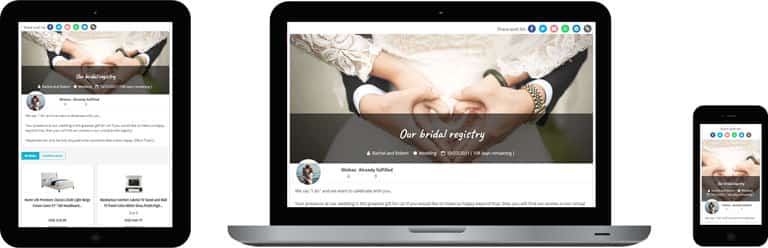
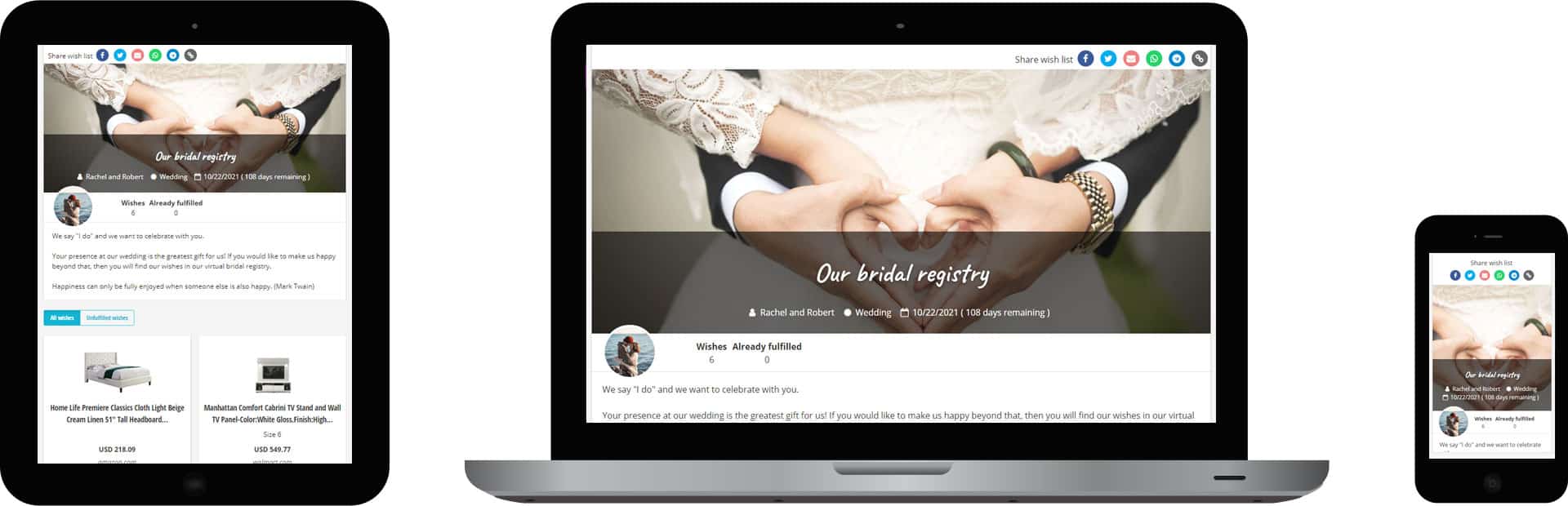
Example design Wedding-Wish list

Example of a wedding wish list on a tablet, notebook and smartphone

Wish lists from Wishbob make gift giving easier!

Don’t just take our word for it: Our users confirm it in numerous positive reviews. Wishbob is the ideal solution for collecting gift ideas for birthdays, Christmas, weddings, and other occasions. Even spontaneous shopping ideas can be saved with a single click. Hundreds of thousands of people already rely on Wishbob to create and manage their wish lists!

Works flawlessly without being dependent on a store. This means that you can also include a wish from your "favorite retailer around the corner" 🙂
 
Great app, makes our daughter's wish list (and ours 🤭) so much easier. It is super easy and intuitive to use!
 
I think the app is wonderful, you can design it well and beautifully. It is clear and the friends and family have the opportunity to give exactly what I like. I am very excited about it. 👍🏼
 
Great app to share different wish lists with friends and family. This is an easy way to share your wishes. Everyone picks something, marks it and there are no more double purchases!
 

FAQ & Help

Wishbob – Online Wishlist: Frequently Asked Questions

What sets Wishbob apart from other wishlist apps?

Wishbob combines features that are rarely available together in other apps: no registration required, native apps for Android, iOS and Huawei, store-independent from any online shop, free of charge with no hidden fees, GDPR-compliant on EU servers, available in six languages. Wish lists can be shared and reserved by recipients without signing in. Wishbob is currently the highest-rated wishlist app in the Google Play Store in Germany.

Is Wishbob free of charge?

Yes, Wishbob is free of charge for you and everyone you share your list with. You can create as many wishlists as you like and reuse them at any time. To unlock the full feature set – such as managing multiple lists – simply confirm your e-mail address once, at no cost.

How can I unlock all free additional features?

Confirm your e-mail address once – or sign in via Social Login (Google, Facebook, Amazon). This unlocks the following features for free: managing multiple wish lists, moving wishes between lists, and following friends' wish lists. Without e-mail confirmation these features are not available.

Can I use the full feature set without e-mail confirmation?

Yes, with Social Login (Google, Facebook, Amazon) you can sign in without a separate e-mail confirmation. On PC click "My Wishbob" in the top right, or use the user icon in the app. A quick sign-in via Google One Tap Login is also available.

On which devices can I use Wishbob?

You can use Wishbob directly in the browser on your PC, laptop, smartphone and tablet – no installation required. Wishbob is also available as an app for Android, iOS and Huawei.

Is there also a Wishbob app?

Yes, Wishbob's online wish list is also available as an app - for Android, iOS, and Huawei.

For Android smartphone and tablet:
Google Play Store Logo

For iPhone and iPad:
Apple App Store Logo

For Huawei smartphone and tablet:
Huawei AppGallery Logo

Is my data safe with Wishbob?

Yes, your data is securely encrypted and stored on GDPR-compliant servers within the EU. Only people you actively send your link to can view your wish list.

Create & customize your wish list

How do I create a wish list?

You create your wish list by providing an e-mail address.

  • Name: This will be displayed in the banner of your wish list, e.g. "David Williams" or "Ava and Samuel".
  • E-Mail: The link to your wish list will be sent to this e-mail address. Please be sure to keep the e-mail or save the link!
  • Wish list title: This will be displayed in the banner of your wish list, e.g. "We're getting married" or "Liam's 10th birthday wish list".
  • Date: A date is optional and will be displayed in the banner of your wish list. It is usually the day of the occasion that is being celebrated.

For which occasion can I create a wish list?

You can create wish lists for any occasion (e.g. kids' birthday, birthday, wedding, Christmas, baby shower, Easter, first day of school, baptism, confirmation, graduation, housewarming or anniversary). If the occasion you want is not available, you can use "Other" to create a wish list for any event.

Can I create my own design for my wish list?

Yes, you can personalize the design of your wish list.

  • When you create your list, you choose your own title. It will be displayed in the banner of your wish list.
  • In the "Occasion text" field, you can leave a personal message for your family and friends. If you don't have time to write your own text, you can choose from several templates.
  • For the visual design, you can upload a banner image that fits the occasion – whether Christmas, birthday, wedding or children's birthday – or select a banner from a wide range of templates.
  • Finally, if you want to give your wish list an even more personal touch, you can upload a profile picture.

What do I write in the occasion text?

By writing a personal message to the recipients of your wish list, you can make them smile or even inspire them. You can also simply thank them, for example for their friendship or for welcoming your new-born child into the world. If you don't have enough time to write your own text, Wishbob lets you choose from several templates.

Adding wishes & gift ideas

What gift items can I add to my wish list?

Yes, you can collect any type of gift on your wish list – whether from online shops, local stores or as a personal wish idea. The Wishbob wishlist is store-independent and universally usable.

  • Products and gift cards from any online shop can be added to your wishlist with a single click - fully flexible and without being tied to any specific retailer.
  • You can manually add items from any local store to your wishlist - as well as non-material or personal gift ideas.

What's the easiest way to add wishes in the Wishbob app?

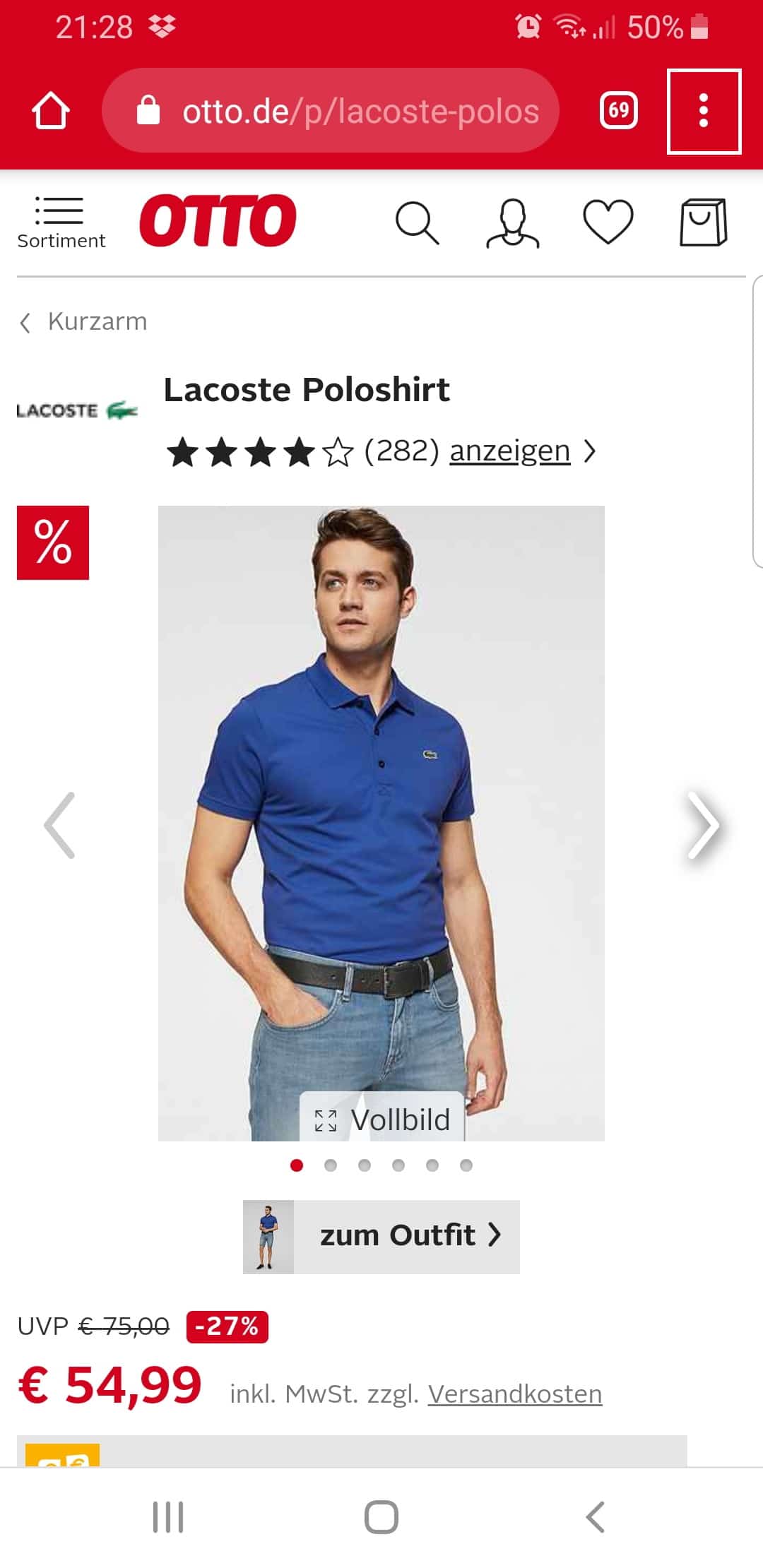
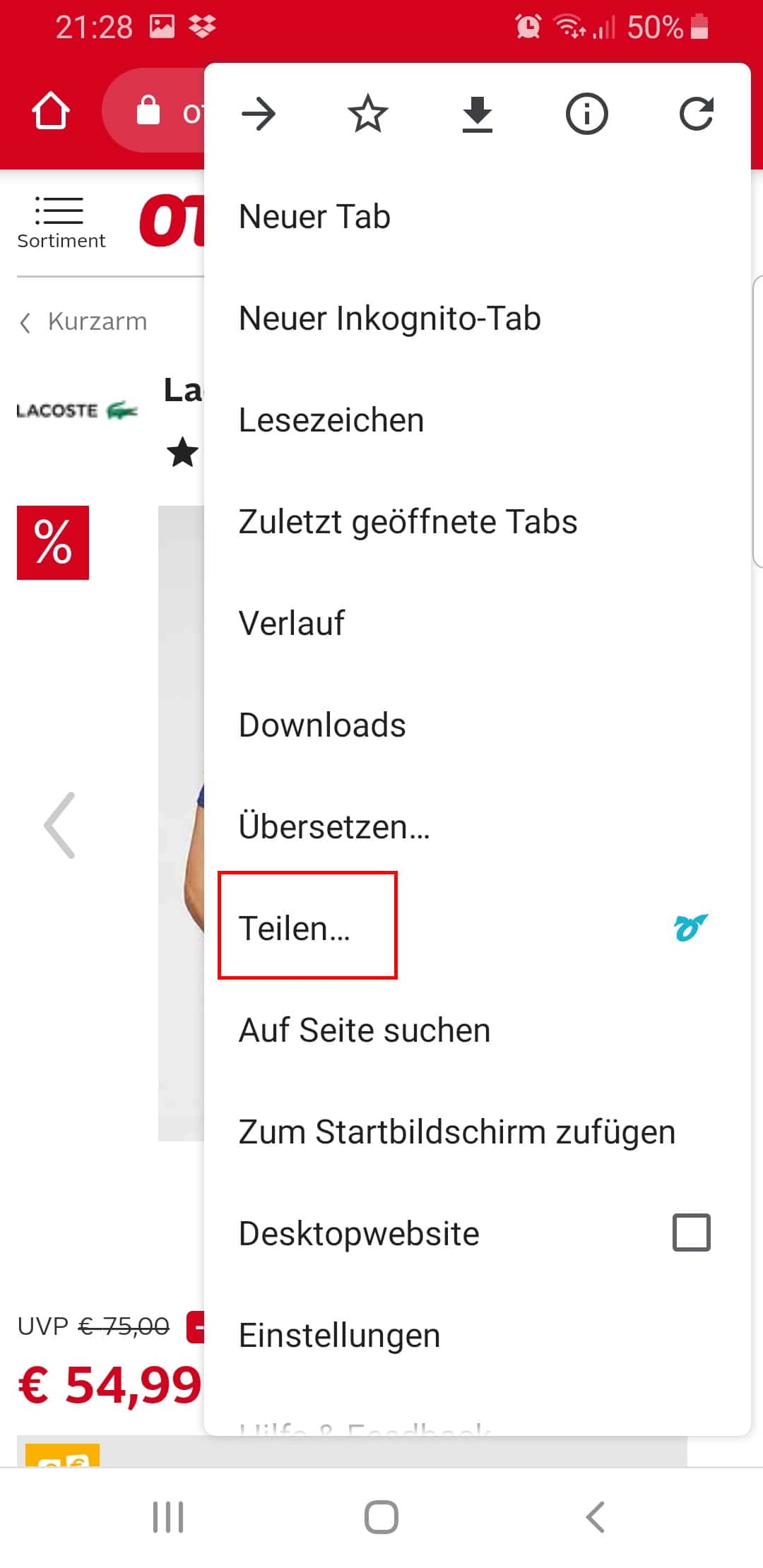
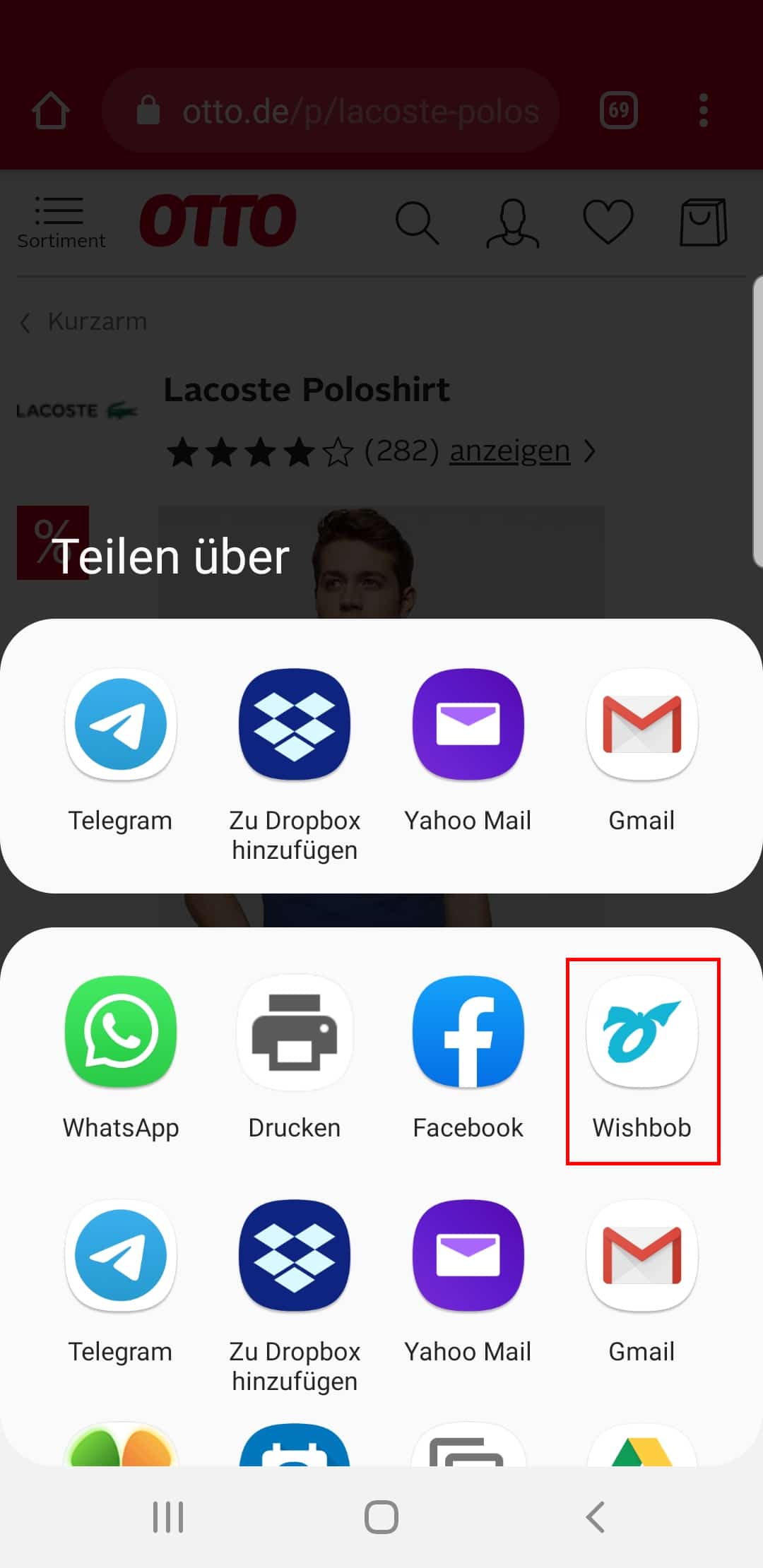
If you want to add gift items to your wish list with just one click, you have the following options:

Is there a gift search in the wish list?

Yes, you can search for gifts directly in your wish list – depending on your country at Amazon or other partners, including the usual search categories.

Are there curated gift ideas in the wish list?

Yes, in your wish list you will find curated gift ideas with the labels "TOP IDEA". These mark independently selected and tested top products – ideal if you are still looking for inspiration.

Why are product details sometimes not loaded automatically?

Some shops occasionally update their page structure, which means our technology may not always recognize product details immediately. We are continuously working to support new shops and optimize existing ones. If capturing details doesn't work, you can simply add the product manually.

Why does one of my wish lists have a red border?

That is your active wish list – the one you opened most recently. When you save a product in a shop via the Button or Share function, it is automatically added to this wish list.

Organizing & managing wishes

Can I show which wishes are most important to me?

Yes, when adding or editing a wish you can set its priority (neutral / important / very important). Wishes with high priority are marked with a heart on your wish list.

Can I sort my wishes?

Yes, you can sort your list however you like – for example by price, alphabetically or by shop name.

Can I hide individual wishes?

Yes, click on the "Wish options" dropdown menu for the wish in question and deactivate it. It will then no longer be visible to guests – but you can still edit it.

Can I move wishes between different wish lists?

Yes, you can copy or move wishes from one wish list to another if they were created with the same e-mail address. Click on the "Wish options" dropdown menu in the respective wish.

You can only use this function if you have confirmed your e-mail address in the "Wish list overview" or signed in with Social Login.

Managing & editing your wish list

Can I change my e-mail address later?

Yes, this is possible via the "Wish list" button above the banner. Click "Edit" in the dropdown menu. Please note: the new address will automatically apply to all wish lists linked to the previous address.

Can I use lists with different e-mail addresses?

That is possible, but you have to sign out and sign back in under "My Wishbob" each time to switch between those lists. Tip: use the same address everywhere – then everything is conveniently in one place.

Can I let other people edit my wish list together with me?

Yes, you can share the admin link of your wish list with other people – they can then edit the list together with you. You will find the function in the dropdown menu of the "Wish list" button.

Can I temporarily hide my wish list?

Yes, click on the dropdown menu in the "Wish list" button and select "deactivate". Your wish list will then only be visible to you – you can still edit it and reactivate it at any time.

Can I delete my wish list?

Yes, click on the dropdown menu in the "Wish list" button. There you will find the "Delete" option. Please note: deletion is permanent.

Sharing your wish list & reserving gifts

How can I share my wish list?

You can share your wish list with one click via email, messenger (WhatsApp, Telegram) and social media (Facebook). You can copy the URL and send it via text message, for example. You can also download a QR code for your wish list to print on an invitation, among other things.

You will find the corresponding share buttons above your wish list banner.

Can my friends and family reserve wishes on my wishlist?

Yes, your friends, relatives and grandparents can reserve wishes without signing in. After opening the link to your wish list, they can browse it. When they find a wish they would like to fulfil, they mark it as "Wish fulfilled!". This way duplicate gifts are avoided.

Can I see which gifts have been reserved — and who reserved them?

Via the "Fulfilled wishes" button in your wish list, you can see which wishes have been marked as purchased. If you have enabled the option for gift givers to leave their name, you can also see who reserved which wish.

Can the person who created the wish list undo a reservation?

Yes, the "Wish fulfilled!" marking can be removed via the "Wish options" dropdown menu on the respective wish. The wish will then be shown as open again for your guests.

Can I follow the wish lists of friends?

Yes, once your e-mail address is confirmed, you will find the "Other wish lists" tab in your wish list overview. The lists of your friends and family are saved there.

Where do my gifts come from?

Wishbob is not a shop and does not ship products. Wishbob is a digital gift list for family and friends – you collect your wishes, and family and friends can fulfil them.

How is Wishbob funded?

Wishbob is funded via affiliate links. If a purchase is made via one of these links, Wishbob receives a commission. This does not result in any additional costs for users – and it allows Wishbob to continue offering the service free of charge.

The easiest way to save wishes to your wish list!

With the Wishbob browser extension you can easily add wishes to your wish list from any online store with just one click.

Install the extension for your browser now!

Our extension is available for the following browsers:

Go to Chrome Web Store Go to Firefox Add-ons