




Wishbob – Create & share your online wish list

Quick and free

With Wishbob you can create your wish list without the need to register using your browser or app.

For any occasion

Create your wish list for any occasion in the design of your choice.

With one click

With the Wishbob button you can add gift items to your wish list with just one click.

Share easily

Share your wish list with family and friends via e-mail, messenger or social media.

10 Reasons to use Wishbob

Wishbob is a free online wish list that lets you collect wishes from any shop, share them with family and friends via link, and avoid duplicate gifts with the reservation feature.

  1. Top-rated & popular

    Wishbob has a 4.9-star rating in the German Google Play Store, with over 5 million wished-for gifts, making it one of the most popular free wishlists.
  2. Create a free online wish list

    Create your wish list with Wishbob at no cost and without registration – directly in the browser or in the app, using just your e-mail address.
  3. Add wishes from any online shop

    Save products with one click from any shop – using the Wishbob Button, the browser extension for Chrome and Firefox, or the Shop Browser in the app.
  4. Avoid duplicate gifts

    Guests can reserve wishes on your wish list and instantly see what has already been chosen – without needing their own account or password.
  5. Share your wish list easily

    Share your online wish list via link, messenger or e-mail with family and friends – or download the QR code and print it on your invitation.
  6. Suitable for every occasion

    Create wish lists for birthdays, Christmas, weddings, baby showers, baptisms, children's birthdays or other occasions – with matching designs for each.
  7. Manage multiple wish lists

    Organise different wish lists in parallel for yourself, your family or groups – and follow your friends' wish lists.
  8. Personalise your wish list

    Personalise your wish list with a title, banner and profile picture, plus a short occasion text – so your guests feel directly addressed.
  9. Use your online wish list anywhere

    Access your wish list anytime in the browser or via the app (iOS, Android, Huawei) – on PC, Mac, smartphone and tablet.
  10. Share securely and privately

    Your wish list is only visible via your personal link – stored on GDPR-compliant EU servers and SSL-encrypted.

User reviews for Wishbob

4.9 stars in the Google Play Store Germany · over 1,500 reviews

Wishbob makes gift-giving easier – confirmed by over 1,500 reviews in the Google Play Store with 4.9 stars. Already 5 million gifts have been wished for with Wishbob. With Wishbob you collect gift ideas for birthdays, Christmas, weddings and other occasions – store-independent, free and shareable with one click.

Works flawlessly without being dependent on a store. This means that you can also include a wish from your "favorite retailer around the corner" 🙂
Google Play Store
Great app, makes our daughter's wish list (and ours 🤭) so much easier. It is super easy and intuitive to use!
Google Play Store
I think the app is wonderful, you can design it well and beautifully. It is clear and the friends and family have the opportunity to give exactly what I like. I am very excited about it. 👍🏼
Apple App Store
Great app to share different wish lists with friends and family. This is an easy way to share your wishes. Everyone picks something, marks it and there are no more double purchases!
Google Play Store
The online wish list by Wishbob

The online wish list by Wishbob

Wishbob is a free online wish list for every occasion. You can create a baby wish list for a baptism, a Christmas wish list for the whole family, or an online wedding gift list as a practical alternative to the shop around the corner. So your guests can also look forward to the celebration without worry and enjoy it to the fullest – simply share your wish list via link and give them clear guidance for suitable gifts.

Matching designs are available for every occasion: birthday, baby shower, Christmas, wedding, graduation, retirement, children's birthday. You can personalise your wish list with a title, occasion text, banner and profile picture – and adjust it at any time.

Features of your online wish list

Features of your online wish list

With Wishbob you control the experience for your guests. Wishes can be assigned priorities – important or very important – so family and friends immediately see what matters most to you. After the celebration you can see which wishes have been marked as fulfilled – and if guests left their name, also by whom. If you want to fill your wish list together with another person, you can easily share editing access.

If you would like to get an impression of our wish lists, you can access the demos for the birthday wish list, wedding wish list, baby wish list or children's birthday wish list with one click and without obligation. If you like Wishbob, create your wish list for free and without registration and share it with relatives and friends as needed.

Gift ideas for your wish lists

Gift ideas for your wish lists

A gift search is built right into the Wishbob wish list – you can find matching products without leaving the list and add them with one click. This works for any occasion: birthday, Christmas, wedding, baby shower, housewarming and more.

In addition, you will find curated gift ideas in your wish list – independently selected and tested products for different occasions and budgets. Labelled recommendations such as "Top" or "Test winner" help you quickly find the right gift without having to search for hours.

The world of gifting has changed – the voucher for the wellness hotel for your anniversary, the gift box with the sommelier wine set for graduation, the milk tooth box for a baptism. Wishbob makes it easier to find exactly the right thing – whether you are collecting ideas yourself or need inspiration.

Add wishes with one click

Add wishes with one click

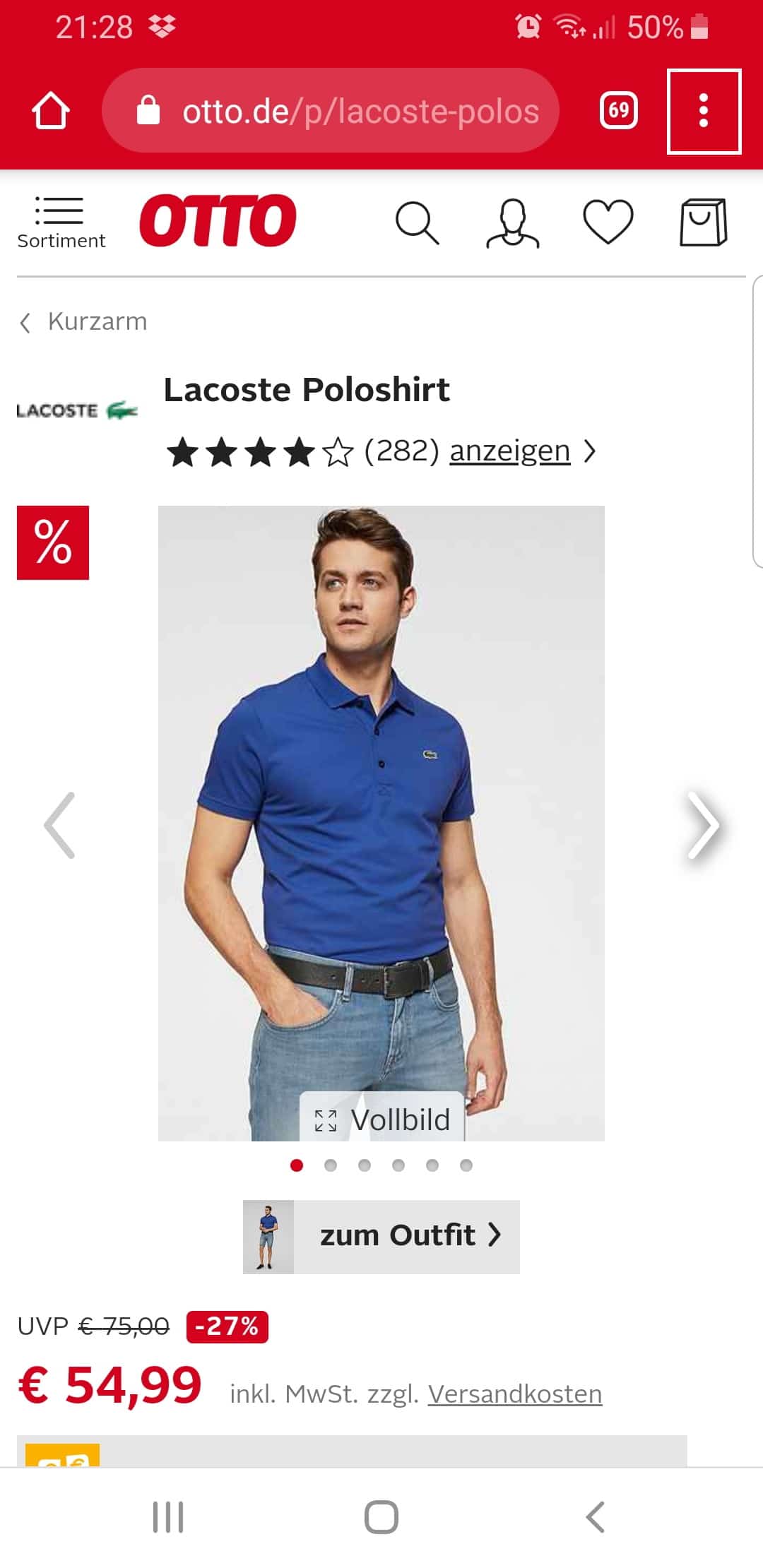
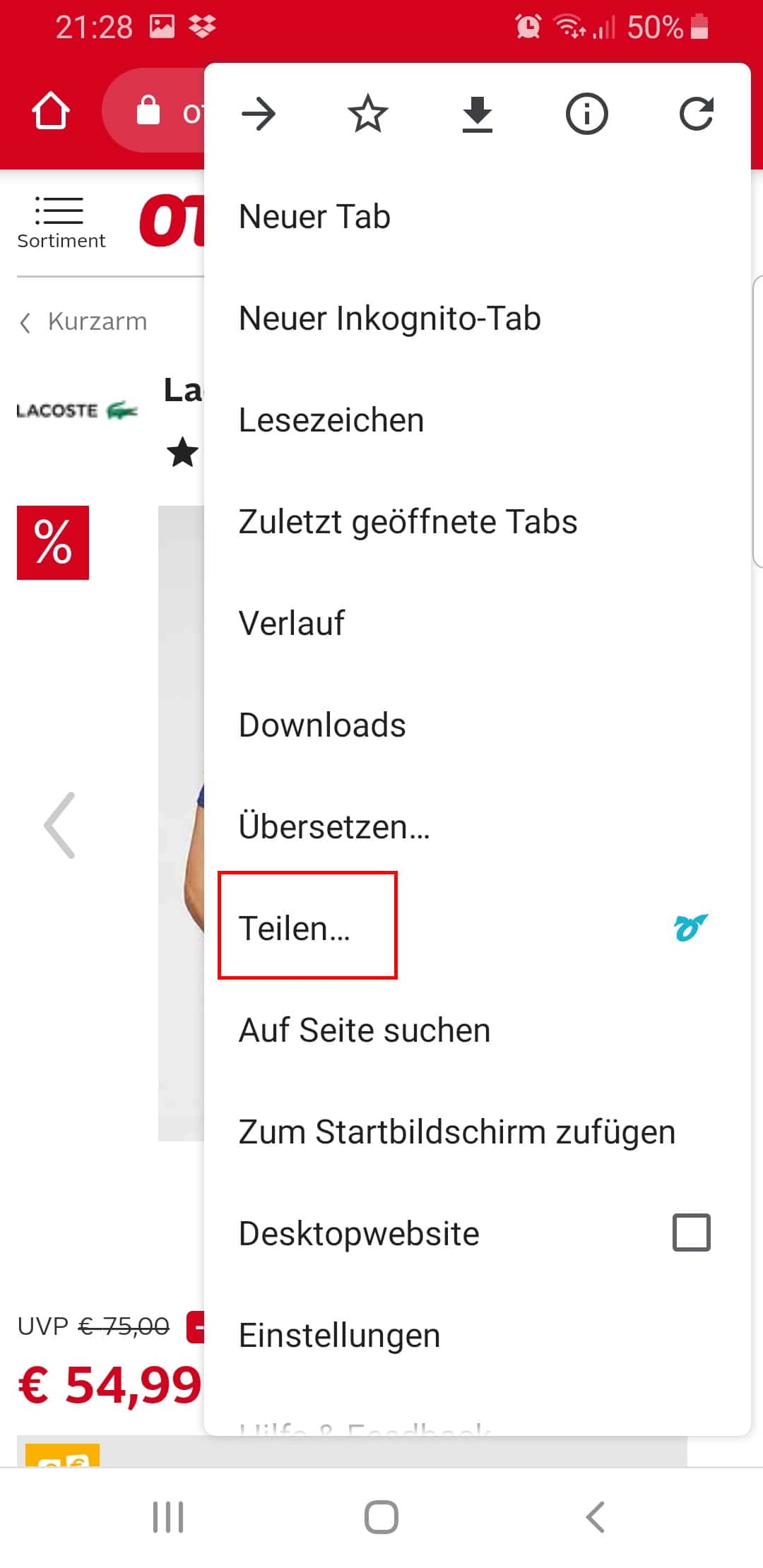
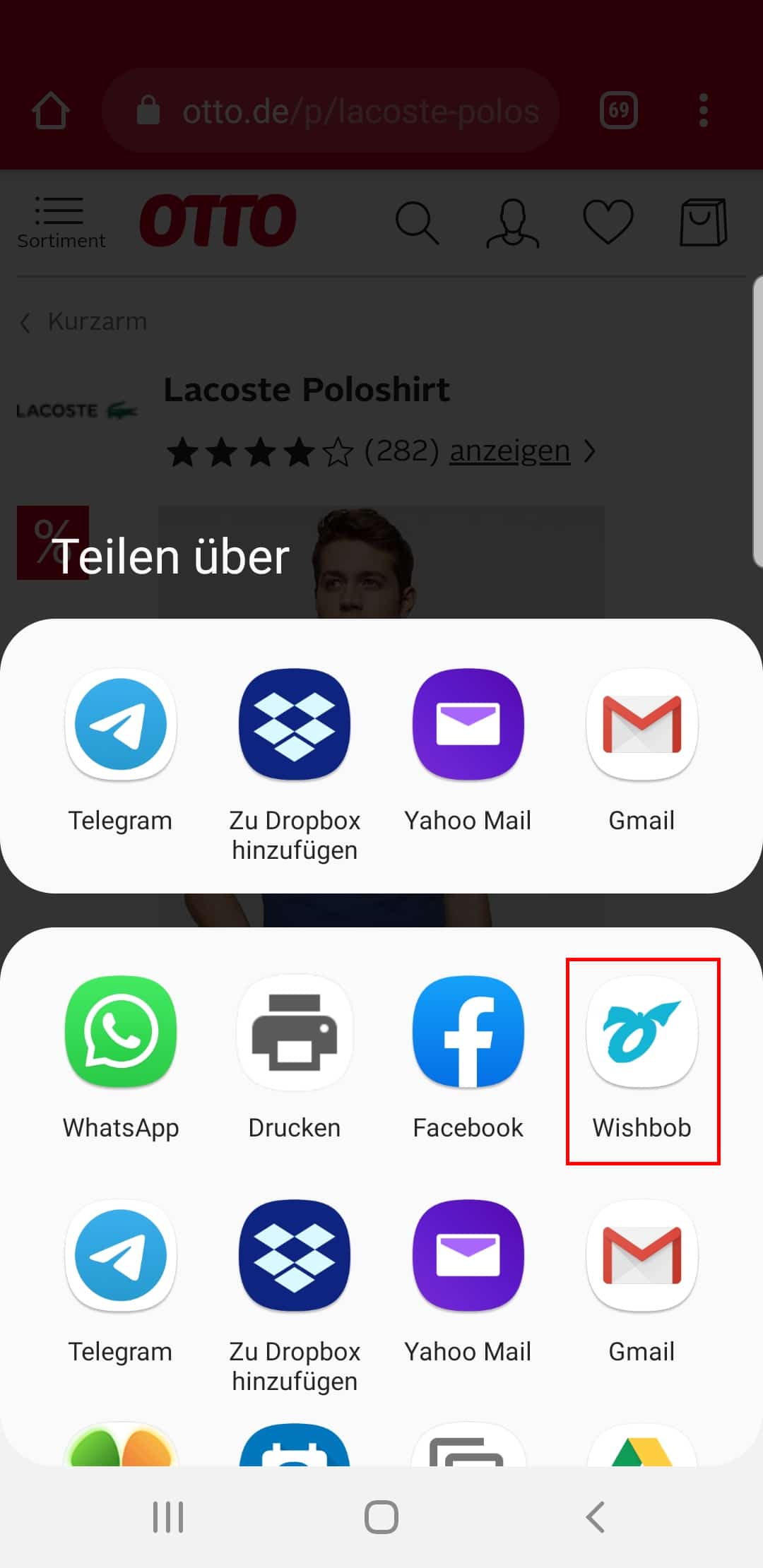
Wishbob is store-independent: you can save wishes with one click from any online shop to your wish list. On your PC or laptop you can use the Wishbob Button (drag it once into your bookmarks bar) or the Wishbob browser extension for Chrome and Firefox. On your smartphone and tablet you can use the share function of your browser – it works in all shops on Android, iOS and Huawei. In the Wishbob app the Shop Browser is also available. Items from local shops or personal wishes can be added manually at any time.

Wishbob works with a large number of shops and is compatible with any retailer. Shops include Amazon, Etsy, Mamas & Papas, Boots, eBay, ASOS, John Lewis, Argos, Currys and Waterstones as well as many more.

Sustainability

Sustainable gifting with Wishbob

With an online wish list from Wishbob you can give gifts more consciously and sustainably – by choosing specifically what truly suits you.

  • Collect sustainable products specifically in your wish list
  • Avoid unnecessary mispurchases with a clear wish list
  • Reduce duplicate purchases through reservations
  • Set experiences instead of extra things as wishes

In your wish list you can specifically choose products that match your values – for example CO₂-neutral, plastic-free or regionally produced items from fair production.

This way your online wish list not only leads to more suitable gifts, but also to less waste and more conscious buying decisions.

Frequently asked questions about the online wish list by Wishbob

What exactly is Wishbob?

Wishbob is a free online wish list that lets you collect, sort and share gift ideas in one place with family or friends. This turns many individual messages into one clear wish list where duplicate gifts are a thing of the past.

Is Wishbob really free?

Yes. You can use Wishbob free of charge to create, share and reuse wish lists. There are also no costs for the people who open your list.

Do I need an account or a password for Wishbob?

No. You can start straight away with your e-mail address, without a traditional registration and without a password. Additional free features can be unlocked later via e-mail confirmation or Social Login. The people you share the list with also do not need an account or password.

How secure is my wish list on Wishbob?

Wishbob stores data encrypted on GDPR-compliant servers in the EU. Your wish list is only visible to people you actively share the link with.

How does Wishbob work in practice?

You create a list, give it a title, occasion and design, and then add wishes from online shops or local stores. Afterwards you share the link via e-mail, messenger or social media with the people who would like to give you a gift.